
Connect, upload, schedule, display
No special hardware and no technical setup: just an Android TV and a browser.
- Connect. Install the Sign Base TV app on an Android TV or Android TV box. It shows a short code: type it into the dashboard to pair the screen.
- Upload. Add images, promotional videos, posters and menus to your media library from any browser.
- Schedule. Arrange media into playlists and assign them to screens, groups or locations by time slot, weekday and date.
- Display. Publish and manage content remotely. Screens play from their own stored copy and report back what they played.
Onboarding
Request a trial or a demo. We create your Sign Base account and you sign in to the dashboard from any browser. Invite your team with the role each person needs.
Register your screens
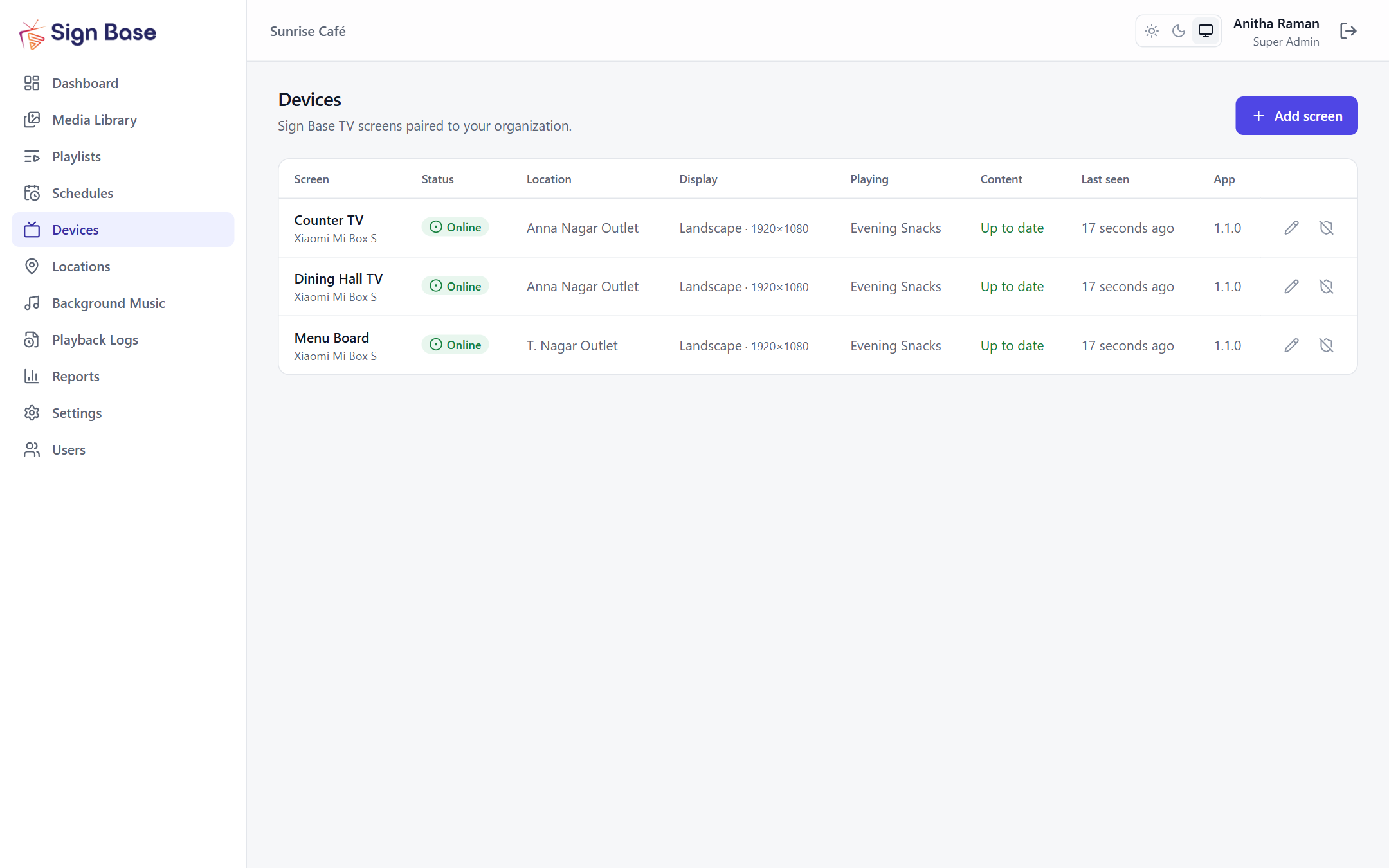
Install the Sign Base TV app on each Android TV or Android TV box. The TV shows a short pairing code; type it into Devices, name the screen and choose its location. No passwords are entered on the TV.
Create playlists
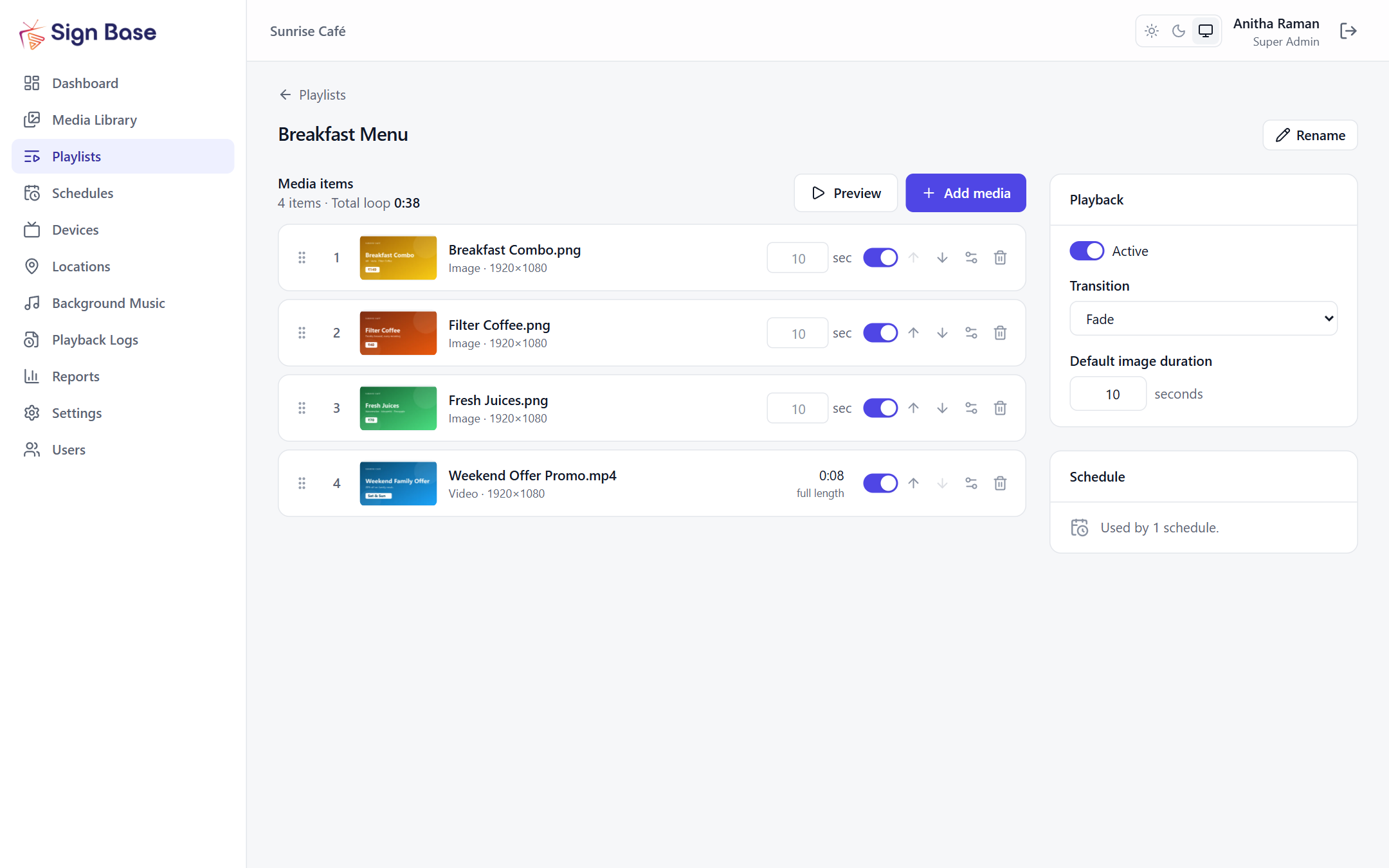
Upload images and videos to the media library, then drag them into a playlist. Set how long each image shows, choose fade transitions and preview the loop before it goes live.
Schedule and play on TV
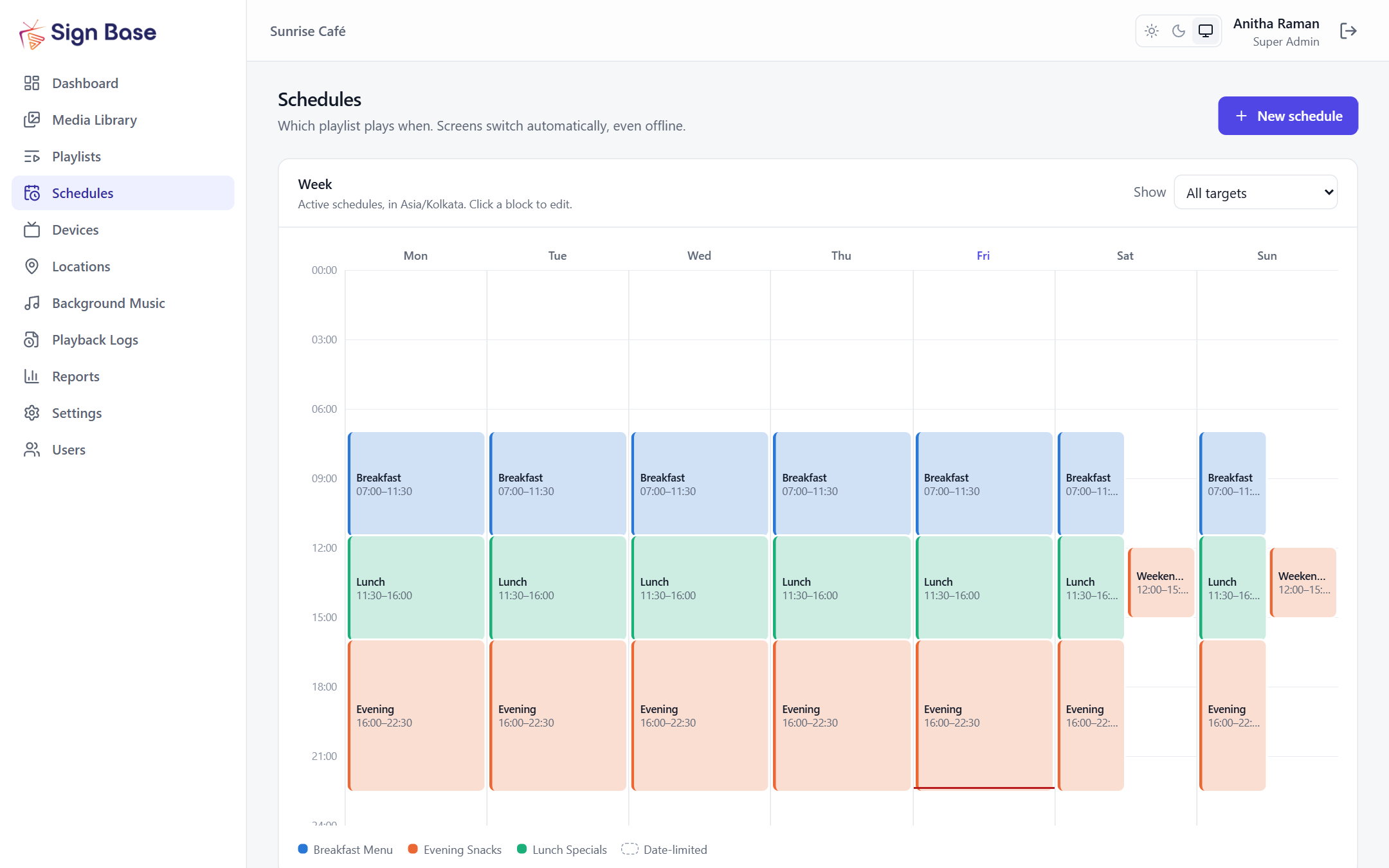
Pick which playlist plays when, on which screens. Each screen downloads and verifies its content, plays from its own copy and switches on schedule — online or offline — and reports every play back.


Turn Your Screens Into Powerful Digital Experiences.
Bring your content, screens, and advertising campaigns together with Sign Base.